
The Gatekeeper Reality
It’s 11:00 PM. The house is quiet. You’ve just spent the last four hours in a flow state with Claude. It spat out 4,000 lines of perfect Swift code for your new clipboard manager, SmartClip.
You hit Cmd+R. It builds. It runs. It works perfectly.
You feel like a genius. The "Developer's High" kicks in. You grab the .app file, zip it up, and send it to your co-founder on Slack. "Check this out," you type, "It's basically done."
Three minutes later, they reply: "Bro, it says 'Malicious Software.' I can't open it."
And just like that, the high is gone. You’ve hit the Instant App Paradox.
The Paradox: Code is Cheap, Trust is Premium
The release of Claude Opus 4.6 and the rise of "Vibe Coding" have verified one thing: Code is now a commodity. We can architect complex, multi-modular macOS applications in an afternoon.
But the faster we create, the harder we hit the "Distribution Wall." For the "New Wave"—product-first developers using AI to bypass years of Cocoa-specific training—the challenge isn't the logic; it's the compliance.
Your app might be safe, but to macOS, it looks indistinguishable from malware until you prove otherwise. In 2026, Trust is the new premium currency.
The "SmartClip" Delta
Let’s look at the difference between the "AI-Only" path and the "Professional" path using our SmartClip example.
The "AI-Only" Path
You ask Claude how to distribute the app. It gives you a list of terminal commands: codesign, productbuild, xcrun notarytool.
- You paste them in. You get a cryptic
errSecInternalComponenterror. - You spend an hour debugging Keychain Access levels.
- You finally get it signed, but Notarization fails with a 403 Forbidden because of an expired app-specific password.
- You give up and send a raw ZIP file.
The Result: The user sees a generic white box icon. Gatekeeper throws a scary warning. They treat your app with suspicion. Even if they bypass the warning, they hesitate to grant it the Accessibility Permissions it needs to function.
The "Gravity DMG" Path
Instead of wrestling with the terminal, you drop your built .app into Gravity DMG.
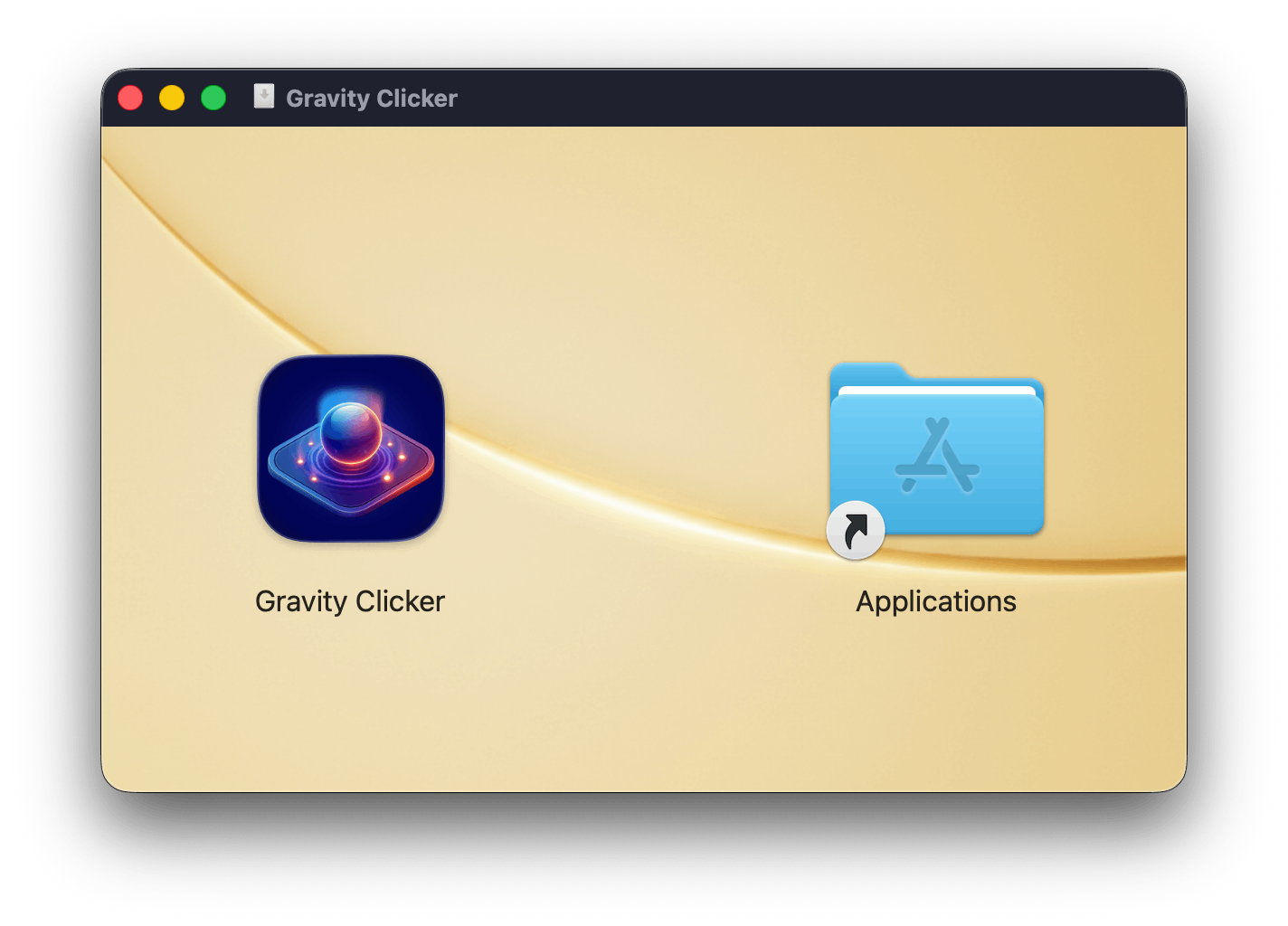
- Visual Trust Design: You use the editor to create a branded installer window. Custom background, clear "Drag to Applications" arrow.
- One-Click Notarization: Gravity DMG handles the heavy lifting—signing, notarizing, and stapling the ticket—in one seamless flow.
- Hardened Runtime: Gravity DMG enforces the security requirements Apple demands, ensuring your binary is "Valid" before it leaves your machine.
The Result: Your user downloads a professional .dmg. It mounts with a satisfying animation. The installer looks polished, legitimate, and safe. Because it looks professional, they trust it enough to grant those permissions.
The 90% Rule
There is a "Graveyard of Good Ideas" in the DerivedData folders of AI developers. 90% of AI-generated projects never launch.
They don't fail because the code is bad. They fail because the developer got stuck on Code Signing Identities, Provisioning Profiles, and Entitlements. They lose momentum in the "Apple Bureaucracy" and move on to the next prompt.
Gravity DMG is your Distribution Partner. We act as your "Vetting Department." We handle the bureaucracy so you can stay in your Creative Flow. You don't need a 4-year Computer Science degree to ship a Mac app, but you do need a professional finish.
"We Write The Trust"
Legacy tools were built for a different era. They assume you enjoy writing shell scripts. Gravity DMG is a signing-notarizing-packaging powerhouse built specifically for the 2026 security landscape.
Claude writes the logic. We write the Trust.
While Claude Opus 4.6 can generate a functional binary, it can’t look your customer in the eye and tell them the software is safe. That’s what we do. When a user opens your DMG, they shouldn't see a folder of files; they should see a Brand.
Level Up Your Security Game
Want to go deeper? Check out our upcoming guide on how to configure entrants.
(Coming Soon: "How to Configure Xcode Entitlements for AI-Generated Code")
Don't let your code die in a ZIP file.
Give your "New Wave" product the "First Wave" professional polish it deserves.